Game Vault 999 App Setup in 5 Steps
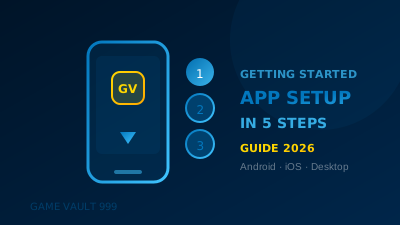
Get the Game Vault 999 app running on Android, iOS, or desktop in minutes. This step-by-step setup guide covers download, account creation, first...
Game Vault 999 does not have a dedicated app in the Google Play Store or Apple App Store. Instead, it runs as a browser-based platform with an optional web app (PWA) that installs directly to your home screen. Setup takes under five minutes on any device. For new players, check out the Game Vault 999 customer support.
Step 1: Navigate to the Official Site
Open your browser and go to the official Game Vault 999 website. Do not use third-party links or apps claiming to be Game Vault 999 — the platform has no official presence on app stores, and any listing there is unofficial or fraudulent. For new players, check out the 100% welcome bonus.
Step 2: Create Your Account
Tap or click the Sign Up button on the homepage. The registration form asks for:
- Full legal name (must match your payment method).
- Email address (used for account recovery and bonus notifications).
- Phone number (used for two-factor authentication).
- Date of birth (you must be 21+ in most US states to play on real money platforms).
- Preferred username and a strong password.
Account creation takes 60–90 seconds. A verification email is sent immediately — click the confirmation link before attempting to deposit.
Step 3: Install the Web App (PWA) — Optional
After logging in, you can install Game Vault 999 as a web app that behaves like a native app on your device.
| Device | Browser | Install Method |
|---|---|---|
| Android | Chrome | Tap the three-dot menu → 'Add to Home Screen' |
| iPhone/iPad | Safari | Tap the Share button → 'Add to Home Screen' |
| Windows PC | Chrome/Edge | Click the install icon in the address bar |
| Mac | Chrome | Click the install icon in the address bar |
| Samsung | Samsung Browser | Tap the three-line menu → 'Add Page To' → 'Home Screen' |
Once installed, the PWA launches full-screen without a browser address bar and supports push notifications for bonus alerts.
Step 4: Complete Identity Verification
To unlock all withdrawal methods and higher deposit limits, complete KYC verification before your first deposit. Navigate to Account Settings → Verification and submit:
- Government-issued photo ID (passport, driver's license, or state ID).
- A selfie holding your ID — taken in good lighting.
- Address verification for withdrawals above $1,000 (utility bill or bank statement).
Verification is reviewed within 2 hours during business hours. Verified status is displayed in your account dashboard.
Step 5: Make Your First Deposit and Claim Your Bonus
Navigate to the Cashier and select your preferred deposit method. Game Vault 999 accepts CashApp, Zelle, Venmo, and Bitcoin. The minimum deposit is $20. First-time depositors automatically qualify for the welcome bonus — check the Promotions page for the current offer before depositing.
Troubleshooting Common Setup Issues
| Issue | Cause | Fix |
|---|---|---|
| Verification email not received | Spam filter | Check spam/junk folder; whitelist the sender domain |
| 'Add to Home Screen' not appearing | Wrong browser | Use Chrome (Android) or Safari (iPhone) — PWA install requires these |
| Deposit not credited after 30 min | Payment delay | Screenshot payment confirmation and contact live support |
| Account locked on first login | Unverified email | Click the email verification link sent at signup |
| PWA crashes on launch | Outdated browser | Update browser to latest version and reload the site |
Is there a Game Vault 999 app on the Google Play Store?
No. Game Vault 999 is a browser-based platform with a PWA (web app) option. There is no official listing on Google Play or the Apple App Store.
Does the Game Vault 999 web app require a download?
No download is required. The PWA installs directly from your browser in seconds and takes less than 1 MB of storage on your device.
Can I play Game Vault 999 on multiple devices with the same account?
Yes. Your account works on any device. You cannot be logged into two devices simultaneously — a second login will end the first session.
Does the app work offline?
No. Game Vault 999 requires an active internet connection for all play. The PWA does not cache game content for offline use.
What is the minimum age requirement to use Game Vault 999?
You must be 21 years of age or older to create an account and make real money deposits on Game Vault 999.
Ready to play Game Vault 999?
Claim your 100% welcome bonus and experience 5-minute payouts.
Get Started Free